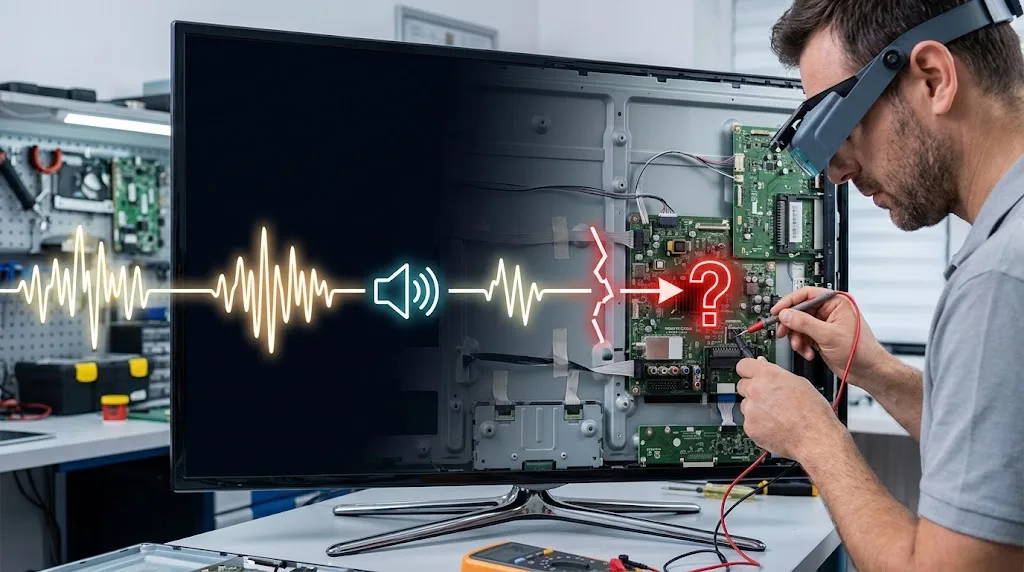
You turn on the TV and hear the programme playing normally. Voices come through. Music comes through. Maybe you can even hear someone moving around in the menu.
But the screen is black.
It can seem like the whole television has failed, yet sound working tells you something useful: at least part of the TV is still receiving power and processing the source.
The problem is that sound and picture don't have to fail together.
A TV takes an incoming signal and processes the audio and video separately. The audio can make it through to the speakers while something goes wrong with the video signal, the HDMI connection, the display electronics, or the lighting system behind the screen.
That's why a TV can quite literally keep talking after it has stopped showing you anything.
The first thing to find out is whether the TV itself can still produce its own picture.
Start with the TV's own menu
Grab the TV's remote, not the remote for your decoder, streaming stick, game console, or soundbar.
Press Home, Menu, or Volume.
If a menu, volume bar, input label, or other TV-generated information appears on the screen, that's a very useful clue. It means the display can still produce at least some image, so the problem is more likely to be the selected input, an external device, an HDMI connection, or the source itself. Samsung and LG both recommend this kind of on-screen check when diagnosing a TV with sound but no picture.
If nothing appears at all, the situation is different.
That doesn't automatically mean the panel is dead, but the fault may be inside the television rather than in the device feeding it.
This one test can save a lot of pointless cable swapping.
Why can a TV have sound when the picture is gone?
Think about what the television has to do with the signal coming into it.
A streaming box, game console, decoder, antenna, or other source sends information to the TV. The TV processes that information and eventually sends the audio toward its sound system and the video toward the display system.
Those two jobs aren't identical.
The audio has to be decoded and sent to an amplifier and speakers. The video has to be processed and delivered to the display hardware, which then has to produce the visible image.
A failure somewhere along the video side doesn't necessarily stop the audio side.
That's why hearing a programme doesn't prove that the entire television is healthy. It proves that enough of the system is working to receive and reproduce audio.
The missing picture still has to be traced.
The problem may be the thing connected to the TV
This is one of the easiest possibilities to overlook.
Suppose you're watching through a decoder, game console, streaming stick, Blu-ray player, or another HDMI device. The TV may be perfectly capable of displaying an image while the connected device has stopped sending usable video.
LG's current troubleshooting guidance specifically lists a temporarily frozen external device and a loose or damaged HDMI cable among the causes of sound without a picture.
Try switching to another input.
If your TV has built-in streaming apps, open one of them. You can also press Home and see whether the TV's own interface appears.
The results tell you something:
The TV menu appears, but the HDMI device stays black: The TV's display is probably not the main problem. Look at the source device, HDMI cable, HDMI port, receiver, or video settings.
One HDMI device has no picture but another works: The problem is probably connected to that device, its cable, its port, or the way that device is outputting video.
Every source is black, including the TV's own menu: Now the TV itself becomes much more suspicious.
That distinction is more useful than simply asking whether the TV has sound.
Why can HDMI cause sound without a picture?
HDMI carries both audio and video, but that doesn't mean a failure involving HDMI will always look like a complete loss of everything.
The TV and connected device also have to agree on how the video should be sent and displayed. Resolution, refresh rate, copy-protection information, HDR formats, and other parts of the connection can affect whether the video signal is accepted correctly.
A temporary communication problem can sometimes leave you with audio while the video doesn't appear.
That's also why restarting an external device can occasionally seem to perform magic.
It isn't magic. The restart forces the device and TV to establish the connection again.
LG recommends restarting the external device and reconnecting the HDMI cable as part of its current troubleshooting process.
If reconnecting the cable restores the picture, you've learned something useful. The problem was probably somewhere along that external video connection rather than in the television's panel.
Why does changing the input sometimes fix it?
Changing inputs forces the television to switch between different signal paths.
If you move from HDMI 1 to HDMI 2, for example, the TV has to stop listening to one input and start processing another.
If the picture suddenly returns, the television has given you a fairly strong clue that its display can work and the original input or source deserves attention.
Samsung's troubleshooting guidance similarly recommends checking the source and trying other connected devices when the TV has sound but no picture.
This is why changing the input isn't just a random fix.
It's also a diagnostic test.
What if the TV menu is black too?
Now things get more interesting.
If you press Volume or Home and absolutely nothing appears, disconnect the external devices from the TV and restart the television itself.
A temporary software or hardware state can sometimes clear after a proper power cycle. Manufacturer troubleshooting guides commonly recommend disconnecting power and restarting the set when the picture doesn't return through normal checks.
Don't immediately assume that the screen panel has failed.
There is another test that can tell you a lot.
The flashlight test can reveal a failed backlight
This applies mainly to LCD-based televisions, including the large group of sets marketed as LED TVs.
The important distinction is that the LCD panel and the light behind it do different jobs.
The panel controls the image. The backlight provides the illumination that allows you to see that image.
If the backlight stops working, the panel can still be producing the picture while the screen looks completely black.
That's where a flashlight becomes useful.
Turn the TV on and make sure something is playing. Darken the room if possible. Shine a bright flashlight close to the screen at an angle and look carefully for a faint image.
You may see a barely visible menu, channel logo, subtitles, or moving picture.
If you can see a faint image under the flashlight, that's a strong indication that the display is still producing an image but its normal illumination has failed. The fault can involve the LED backlights themselves or the circuitry that powers and controls them.
The flashlight isn't fixing anything.
It's simply giving you enough light to see an image that the failed backlight can no longer illuminate properly.
Why does a failed backlight leave the sound working?
Because the backlight isn't responsible for producing the sound.
The television can continue processing audio and sending it to the speakers even though the lighting system behind the display has stopped working.
That's why this particular failure can be so confusing.
You hear the programme.
The remote still works.
The TV may respond to commands.
Yet the screen looks dead.
The picture may still be there. You're simply not getting the light needed to see it.
What if the flashlight shows nothing?
Then don't immediately order a set of replacement LED strips.
A completely black screen with no visible image under the flashlight points toward a different part of the display path, although a flashlight test by itself cannot identify the exact failed component.
Possible causes can include the video-processing circuitry, timing-control electronics, power circuitry, connections between boards and the panel, or the panel itself.
That's where the earlier menu test becomes useful.
If the TV's own menu appears, the display system is capable of showing an image and the problem is more likely further upstream in the source path.
If the menu never appears and the flashlight reveals no image, the fault is more likely inside the television.
At that point, replacing random parts becomes a very expensive way to guess.
Why does the screen sometimes become very dark instead of completely black?
A screen that looks black isn't always actually producing zero light.
Sometimes the picture is simply extremely dim.
This can happen with a failing backlight, but settings can also affect how the screen appears. Some televisions have features that turn the display off while continuing to play audio, and picture settings can also make a functioning display appear unusually dark.
That's why the menu test is useful.
If the TV can display its volume indicator or Home screen, the panel isn't simply producing nothing.
Check the picture settings and look for features with names such as Screen Off, Picture Off, or similar wording. The exact name and location depend on the TV.
Don't assume a dark picture means the panel needs replacing.
Why does restarting the TV sometimes bring the picture back?
Because not every black-screen problem is a physical failure.
A TV is a computer as well as a display. Modern sets run operating systems, apps, networking software, video-processing software, and HDMI communication systems.
Those systems can occasionally get into a bad state.
A restart clears that state and makes the TV initialize its hardware and connected devices again.
That's also why restarting the external device matters. The problem can exist on either side of the connection.
If the picture comes back after a restart but the same failure keeps returning, that changes the situation. A recurring problem deserves more investigation than a one-time glitch.
What if the picture disappears after the TV has been running for a while?
That pattern is worth paying attention to.
If the TV works normally when cold, then the picture disappears after it has been running for a while, the timing gives a technician another clue.
Heat can affect electronic components, power circuits, and connections. A component that behaves normally when cool can become unstable as its temperature rises.
A weakening backlight system can also produce intermittent symptoms before failing completely.
But "it happens when the TV gets hot" isn't enough to identify the exact component.
It tells you when the fault happens.
It doesn't, by itself, tell you why.
If switching the TV off and allowing it to cool repeatedly restores the picture, mention that pattern if you eventually have the TV serviced. It can be useful diagnostic information.
What if only Netflix, YouTube, or one app has no picture?
That's a different situation from a completely black TV.
If the Home screen works and other apps or inputs display normally, there's little reason to start blaming the physical screen immediately.
The problem may be specific to the app, its video playback, the network connection, or the source device.
LG makes this distinction in its current support guidance, noting that built-in streaming apps are different from an external HDMI source.
Try another app.
Try the TV's Home screen.
If those work normally, the display itself is doing something right.
The fault has become much narrower.
What if one HDMI device works and another doesn't?
That's one of the most useful clues you can get.
Imagine a TV connected to a game console and a streaming stick.
The streaming stick produces a picture.
The game console produces sound but no picture.
The TV can clearly display video.
That makes a dead backlight or completely failed panel much less likely.
The investigation should move toward the console, its HDMI cable, the particular HDMI port, or the video settings and handshake between that console and the TV.
Try the same device on another HDMI port if one is available. Try a known-good cable. Restart the source device.
You're changing one part of the signal path at a time.
That's much better than changing five things at once and then wondering which one fixed it.
When is the problem probably inside the TV?
The case for an internal TV fault becomes stronger when:
- The TV's own Home or Menu screen never appears.
- Multiple inputs have the same problem.
- Known-good external devices also fail.
- Different HDMI cables and ports make no difference.
- A proper restart doesn't restore the picture.
- The flashlight test reveals a faint image, suggesting a backlight problem.
- The screen remains black even when the TV is displaying its own interface.
At that point, the possible causes become more hardware-focused.
That can mean a backlight system, power circuitry, video-processing electronics, timing-control hardware, panel connections, or the panel itself.
Those aren't all equally expensive or equally repairable.
And they're not things you can reliably distinguish just by looking at a black screen.
When should you stop troubleshooting?
There are a few situations where opening the television isn't worth the risk.
If the TV has a cracked panel, liquid damage, burning smell, sparks, unusual electrical behavior, or a damaged power cord or plug, stop using it and have it assessed.
Don't remove the rear cover just because an online guide says a particular board might be bad.
Televisions contain power circuitry that can be hazardous, and the display panel itself is extremely fragile.
The checks above are useful because they help narrow the problem without taking the television apart.
The simplest way to think about the whole problem
A TV with sound but no picture isn't necessarily a television with "half of it broken."
It's a television in which the audio path is still working while something in the video path isn't.
The quickest way to narrow it down is to work from the outside in.
First, press Home, Menu, or Volume.
If the TV can display its own menu, investigate the input, source device, HDMI cable, HDMI port, or app.
If the TV can't display anything, disconnect the external devices and restart it.
Then, on an LCD-based TV, a flashlight test can help determine whether the screen is still producing a faint image.
If you can see a faint picture with the flashlight, the backlight system is the leading suspect.
If you can't see an image at all, the fault may lie deeper in the display or video electronics.
That is why sound without a picture can be such a useful symptom. The sound isn't just something that's still working. It's evidence that narrows down what hasn't failed.