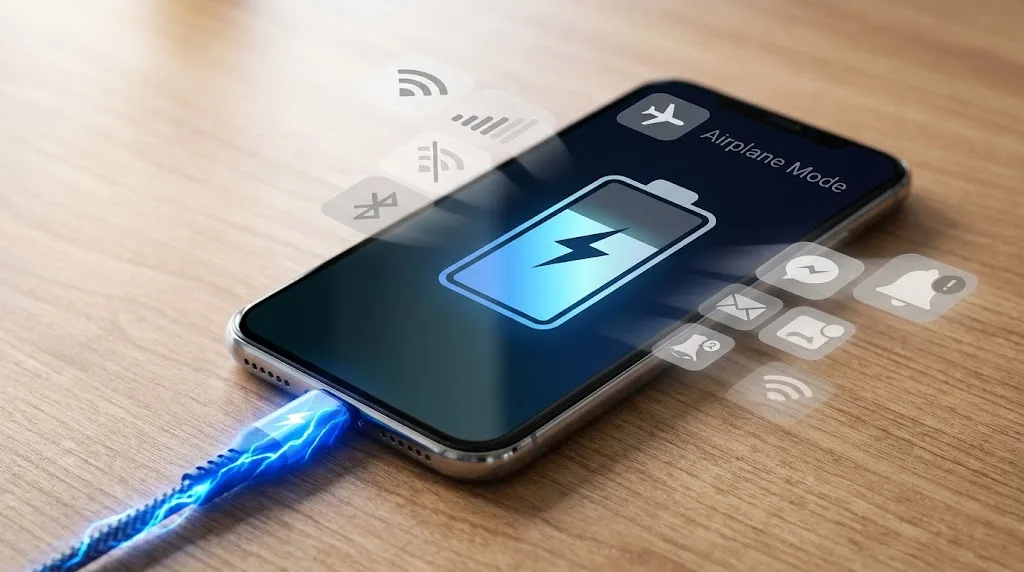
You plug your phone in at 15%, put it on the table and leave it alone. Someone then tells you to switch on airplane mode because it will charge faster.
It sounds reasonable. With cellular service, Wi-Fi and other connections turned off, the phone has less work to do. But does that actually make a meaningful difference to charging time?
Yes, it can. The catch is that airplane mode doesn't make your charger more powerful or change the maximum charging speed your phone supports. It mainly reduces the amount of electricity the phone is using for other jobs while it is plugged in.
That difference can be noticeable in some situations, particularly when the phone has a weak cellular signal or is doing a lot of background work. If the phone already has a strong connection, the screen is off and it's sitting relatively idle, airplane mode may change very little.
The reason becomes clearer when you look at what happens to the electricity coming through the charging cable.
Your phone is charging and using power at the same time
A charger doesn't send every bit of its available power directly into the battery.
While your phone is plugged in, the phone itself is still operating. The processor may be handling background tasks. Apps may be syncing. The screen may be drawing power. Cellular radios may be communicating with a nearby tower. Wi-Fi and Bluetooth may be active. The phone may also be doing system tasks that you never see.
That means there are effectively two things happening at once.
Some of the incoming energy is going toward charging the battery. Some is being used by the phone itself.
If the phone is using less power, more of what the charger is supplying can go toward charging the battery.
This is why Apple says processor-intensive apps, games and high-quality video can reduce charging speed. Samsung gives similar guidance, noting that using demanding apps while charging can slow the charging rate.
Airplane mode affects one part of that equation.
What airplane mode actually changes
Airplane mode is primarily a way of disabling wireless communications.
Depending on the phone and its settings, it can disable cellular connectivity and may also switch off Wi-Fi and Bluetooth until you turn them back on.
With cellular service disabled, the phone no longer needs to maintain its normal cellular connection. It also isn't transmitting cellular data or repeatedly trying to maintain a connection when reception is poor.
Google specifically recommends trying airplane mode while charging a Pixel in areas with poor connection because the device can use more power when coverage is weak.
That matters because a weak signal can make the phone work harder to maintain communication with the network.
So the basic idea is sound:
Less wireless activity can mean less power consumption, which can leave more of the charger's available power for the battery.
But there's a big distinction here.
Airplane mode does not tell the battery to charge at a higher wattage.
If your phone and charger are operating at a particular charging rate, turning on airplane mode doesn't suddenly turn a 20-watt charging system into a 30-watt one.
It reduces competing power use.
A weak signal is where airplane mode makes more sense
Imagine two phones connected to the same charger.
One is sitting in an area with a strong cellular signal. The other is in a place where reception is poor and the phone is constantly working to maintain its connection.
The second phone has a different power workload.
Poor network conditions are recognized as a source of increased power use and heat. Samsung lists weak signal or poor network conditions among situations that can cause additional heat, while Google specifically suggests airplane mode for charging in poor connection areas.
This is one reason the airplane-mode trick can appear to work dramatically for one person and barely make a difference for another.
Their phones aren't doing the same amount of work.
If your phone already has a strong signal and is sitting with the screen off, there may not be much wireless power consumption to eliminate.
What about 5G?
5G can affect battery use, but there isn't one universal rule that says a 5G phone will always charge slower.
Actual power consumption depends on the phone, network conditions, signal strength, data activity and what the device is doing.
The important part is that cellular communication is only one piece of the total power budget.
If you're downloading a large file over a cellular connection, streaming video, using GPS and keeping the screen bright while charging, turning on airplane mode can remove some of that activity. But it won't stop the screen or processor from consuming power if you continue using the phone in other ways.
That's why a simple airplane-mode comparison doesn't tell the whole story.
Your screen can matter more than airplane mode
There is a big difference between plugging in your phone and putting it down versus plugging it in and continuing to use it.
Watching high-quality video with the display at high brightness requires substantially more activity than leaving the phone locked on a table. Gaming can be even more demanding.
Apple specifically warns that graphics-intensive and processor-intensive apps, games, camera use and high-quality video can reduce charging speed.
Samsung gives similar advice for Galaxy devices, saying that browsing, watching videos and playing games while charging can lead to a slower charging rate.
So if you're wondering whether airplane mode makes charging faster, there is another question hiding underneath it:
What is the phone doing while it charges?
If the answer is “almost nothing,” airplane mode may have only a small effect.
If the answer is “streaming video over a weak 5G connection while the screen is at full brightness,” the difference can be much larger.
Heat is another part of the story
Phone charging isn't just about electricity. Temperature matters too.
Lithium-ion batteries don't simply accept as much power as a charger can provide under every condition. Phones monitor temperature and adjust charging to protect the battery.
Apple says an iPhone can slow or temporarily stop charging when the device becomes too hot or too cold.
Samsung likewise says charging speed can be reduced when the phone or surrounding environment becomes too hot or cold.
This gives airplane mode another possible advantage.
If disabling wireless activity reduces the phone's workload and therefore reduces some heat generation, it may help the device stay within a temperature range where it can continue charging efficiently.
That doesn't mean airplane mode is a cooling system. It isn't.
It simply removes one source of activity that can consume power and generate heat.
Why your phone charges quickly at first and then slows down
There's another reason a full charging test can be misleading.
Phone charging isn't usually a constant-speed process from 0% to 100%.
For example, Apple explains that iPhones charge quickly toward about 80%, then slow down as the battery gets closer to full. The slower final stage reduces battery stress and heat.
So measuring the time from 10% to 100% doesn't tell you the same thing as measuring 10% to 50%.
The difference caused by airplane mode might be easier to see during one part of the charging cycle than another.
The same problem applies when people compare two charging sessions casually. If one session spends more time above 80%, or the phone gets hotter during one session, the results can look different even though airplane mode itself had little to do with the difference.
This is why a proper test needs to measure several points rather than simply timing the phone from empty to full.
Does turning off Wi-Fi and Bluetooth do the same thing?
Not necessarily in every phone, because airplane mode behavior differs between devices and operating systems.
But if the main difference between two charging sessions is wireless activity, manually disabling the relevant connections can produce a useful comparison.
That's actually an interesting way to test the claim.
Suppose you run three sessions:
Normal mode: cellular, Wi-Fi and Bluetooth operating normally.
Airplane mode: wireless activity restricted by airplane mode.
Manual shutdown: cellular remains available, but Wi-Fi and Bluetooth are turned off individually.
If airplane mode consistently produces a shorter charging time, but manual Wi-Fi and Bluetooth shutdown produces almost the same result, that suggests those radios account for part of the difference.
If airplane mode produces a noticeably different result, cellular activity or some other device behavior becomes more interesting.
That's much more informative than simply saying, “Airplane mode charges faster.”
Published tests suggest the difference can be real, but it isn't a fixed number
There are already published examples of people testing this.
One 2026 comparison using a Samsung Galaxy S24 Ultra reported that its airplane-mode charging sessions were faster than sessions with normal wireless connectivity. The shortest full-charge result reported was about 1 hour 2 minutes with airplane mode compared with 1 hour 9 minutes in the comparison condition.
That's a difference of several minutes, not some dramatic transformation of the phone's charging system.
Other published articles have reported different results, which is exactly why it would be misleading to give readers one universal figure and say, “Airplane mode makes every phone charge 10% faster.”
The result depends on the phone, charger, starting battery level, signal conditions, temperature, background activity and what else is happening during the session.
A phone sitting quietly in a strong-signal area is not the same experiment as a phone struggling to maintain a weak cellular connection.
What we would actually test at HIAW
This is where the question becomes much more interesting.
A proper HIAW test would use the same phone, charger, cable and environment for every session.
The phone would start each run at the same battery percentage.
Then the charging sessions could be compared under several conditions:
- Normal mode
- Airplane mode
- Wi-Fi and Bluetooth manually disabled
- Screen off
- Screen on
The useful measurements wouldn't just be the final charging time.
We'd record the time needed to reach 25%, 50%, 80% and 100%, along with phone temperature and background activity.
The weak-signal question would be especially useful.
If the phone is charged once with a strong connection and again where cellular reception is poor, we could see whether the difference becomes larger when the phone has to work harder to maintain its connection.
That would also help separate two things that often get mixed together:
Does airplane mode make the battery charge faster?
and
Does airplane mode stop the phone from wasting some of the incoming power on other work?
Those aren't quite the same question.
Until that controlled test is actually performed, there isn't a legitimate HIAW result to report.
So, should you use airplane mode while charging?
If you need your phone charged quickly, airplane mode can help, particularly if you're in a weak-signal area or the phone is otherwise doing a lot of wireless activity.
But it isn't the main factor controlling charging speed.
The charger, cable, phone's charging hardware, battery condition, temperature and the phone's own charging software all matter. Using a demanding app while charging can also reduce the rate, and modern phones deliberately slow charging as the battery gets closer to full.
If you put a phone down with the screen off and leave it alone, airplane mode may only save a modest amount of time.
If the phone is struggling with poor reception, downloading data, running demanding apps or getting hot, reducing its workload becomes more useful.
So the popular advice isn't exactly wrong. It's just usually presented as though airplane mode somehow unlocks a faster charging mode.
It doesn't.
It gives the phone less work to do while it's charging. And when the phone has less work to do, more of the power coming from the charger can go toward the battery.