You put your phone down.
The screen is off. No game is running. You aren't watching YouTube. You aren't even touching it.
Then you pick it up a few minutes later and notice something weird.
It's warm. Sometimes surprisingly warm.
So what exactly was your phone doing while you were doing absolutely nothing with it?
Quite a lot, actually.
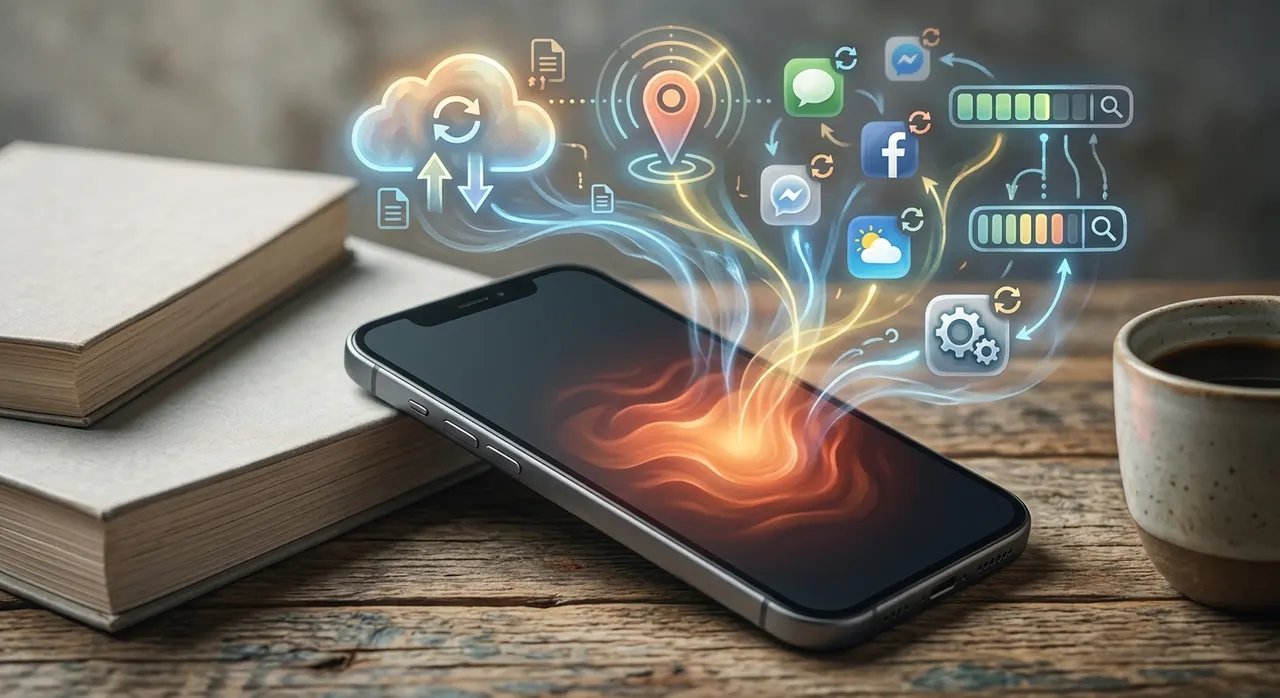
Your phone doesn't stop working when the screen goes dark. It simply changes what it's doing. Some of those background jobs use very little power. Others can make the processor, storage, modem, or battery work hard enough to produce noticeable heat.
And sometimes, the biggest clue isn't the temperature.
It's the battery percentage estimates.
If your phone is getting hot while sitting untouched and losing battery unusually quickly, something is probably working in the background.
Here's what can be happening.
Your phone isn't really "off"
The first thing to understand is that a locked phone isn't the same thing as a powered-off phone.
When you press the power button, you're normally turning off the display and putting the device into a lower-power state. The operating system is still running.
It still needs to:
- Maintain network connections
- Receive calls and messages
- Handle notifications
- Check certain background tasks
- Synchronize accounts
- Manage location-related services
- Process scheduled jobs
- Maintain security functions
- Run system maintenance
- Respond to certain apps and services
That's why your phone can receive a WhatsApp message while the screen is off.
Something had to be awake enough to receive it.
The phone is basically asleep, not dead.
One of the biggest suspects is your internet connection
Your phone is constantly trying to stay connected.
That's normally a good thing.
But the way it connects can make a big difference to how much power it uses.
This is especially noticeable with cellular networks.
Imagine you're standing somewhere where the mobile signal is strong. Your phone can communicate with the nearest cell tower relatively easily.
Now imagine you're in a building with terrible reception.
Your phone may have to work harder to maintain a usable connection.
Samsung specifically lists weak cellular signals and areas with poor or no reception among situations that can increase heat generation.
This creates a particularly annoying situation.
Your phone can be sitting untouched on a table while its modem is working hard simply because the network connection is bad.
That's one reason a phone can sometimes feel hotter in a basement, elevator, rural area, crowded building, or other place with weak reception.
Then there are the apps you aren't looking at
This is where things get sneaky.
You might think:
"I closed the app."
But an app doesn't necessarily stop doing every background task just because you aren't looking at it.
Depending on the operating system and the app, background activity can include things such as syncing information, checking for updates, uploading data, processing content, refreshing information, or responding to notifications.
Most of the time, the phone manages this automatically and keeps power consumption low.
But an app can occasionally misbehave.
A bug can cause excessive background activity. A process can get stuck. An app can repeatedly attempt something that isn't completing properly.
Suddenly, your phone isn't really resting.
It's doing the digital equivalent of someone repeatedly opening the refrigerator because they forgot why they walked into the kitchen.
Samsung lists background activity and multiple running tasks as possible sources of heat.
Android also provides battery controls that can help identify apps using unusually large amounts of power.
Your phone may be syncing a huge amount of data
Here's another easy one to miss.
You take hundreds of photos.
Your phone backs them up.
You download a large update.
Your cloud storage starts syncing.
Your email account processes a large batch of messages.
Your phone restores data after an update or setup.
None of these things require you to stare at the screen.
But they can still require substantial processing and network activity.
Samsung specifically identifies large downloads, cloud and email synchronization, system updates, data restoration, and similar tasks as situations that can generate heat.
Apple also says that, on newer iPhones and iPads, battery insights can show background activities such as an ongoing software update or device setup that temporarily affect battery life and thermal performance.
So if your phone gets warm shortly after an operating system update, don't immediately assume the battery has suddenly gone bad.
The phone may simply have work to finish.
And sometimes the phone is doing a lot after you think you've finished
This is particularly common after buying a new phone, restoring a backup, or installing a major software update.
You might finish the setup and think:
"Great. Done."
The phone might disagree.
There can still be background work happening after the visible setup process ends.
Apps may be installed or updated. Data may be restored. Photos may be processed or synchronized. The operating system may be completing maintenance tasks.
Apple lists device setup, backup restoration, and major software updates among situations where an iPhone or iPad may become warmer.
Google similarly notes that Pixel phones can get warm while transferring or restoring data and while downloading or uploading large amounts of data.
So a phone that feels warm for a while after an update isn't necessarily having a problem.
There's another culprit people often forget: location
Your phone has several ways of figuring out where you are.
GPS is only part of the story.
Apps and system services can use how phones track location for navigation, weather, maps, nearby devices, location-based reminders, and other functions.
If something is repeatedly requesting location information or performing location-related work in the background, it can contribute to battery use and heat.
Samsung lists GPS and navigation among activities that can increase device heat, especially when used for extended periods.
This doesn't mean your phone is secretly running full GPS navigation every time the screen goes dark.
It means location-related activity is one more thing that can consume resources when a service actually needs it.
What about 5G?
This one gets misunderstood.
People sometimes assume that simply having 5G enabled means the phone must be running hot.
Not necessarily.
But cellular communication can become a bigger power consumer when the phone is dealing with difficult network conditions, transferring lots of data, or maintaining connectivity in challenging circumstances.
That's why a phone can sometimes feel warmer when you're downloading something over mobile data than when you're sitting on a strong Wi-Fi connection.
And if the cellular signal is poor, the situation can get worse.
The phone isn't heating up because "5G is hot."
It's heating up because the cellular hardware is doing more work.
The room might be the real problem
Sometimes your phone isn't generating an unusual amount of heat at all.
It's simply failing to get rid of the heat.
Put a phone on a desk in a cool room and heat can escape into the surrounding air.
Put that same phone under a pillow, inside a bag, under a blanket, in direct sunlight, or inside a hot car and you've created a much worse environment for cooling.
Google specifically warns against using phones in excessively hot or poorly ventilated environments, while Apple says iPhones are designed for ambient temperatures between 0°C and 35°C and warns that excessive heat can shorten battery life.
That's why "the phone isn't doing anything" doesn't necessarily mean "the phone can't get hot."
Heat depends on both how much heat the phone produces and how quickly that heat can escape.
Here's the simple version
Think of your phone like a house.
The screen is the front door.
When you turn the screen off, you're basically closing the front door.
But the house is still running.
The refrigerator is still on.
The security system is still working.
The internet connection is still active.
Someone might still be doing laundry in the back room.
And occasionally, somebody decides to renovate the kitchen without telling you.
That's your phone.
The display may be asleep while the processor, modem, storage, battery and background services continue doing smaller jobs.
Most of those jobs are designed to consume very little power.
But occasionally, several things happen at once.
That's when you notice the heat.
So why does it sometimes get really hot?
This is where you should pay attention.
A mildly warm phone isn't automatically a problem.
A phone that becomes uncomfortably hot while sitting idle, especially if this happens repeatedly, deserves investigation.
Look at your battery usage.
On Android, the exact menus vary by manufacturer, but battery settings can show which apps and services are consuming power. Google recommends checking battery use and restricting apps with unusually high background consumption where appropriate.
On an iPhone, go to:
Settings → Battery
Apple's battery screen can show which apps and activities are consuming energy and can help reveal unusual activity.
Look for something that doesn't make sense.
If you haven't used an app for hours but it's sitting near the top of your battery usage, that's worth investigating.
What should you do if your phone is hot?
Start with the boring stuff.
It often works.
- Check the battery usage screen. Look for an app consuming far more power than expected.
- Restart the phone. A restart can clear a process that's behaving badly. Samsung specifically recommends restarting when software conflicts or background activity may be contributing to heat.
- Update your operating system and apps. A software bug can sometimes cause unusual battery or background activity.
- Check your signal. If the phone gets hot mainly in places with terrible cellular reception, the network connection may be part of the explanation.
- Check whether it's syncing or updating. Recently restored your phone? Installed a major update? Downloaded a huge amount of data? Give it some time.
- Get it out of the heat. Don't leave it baking in direct sunlight, inside a hot car, under bedding, or in another poorly ventilated place.
- If it's genuinely hot, stop using it. Google recommends disconnecting a phone from power and allowing it to cool if it becomes too hot. Modern phones can also reduce performance, charging speed, connectivity, or other functions to protect themselves from excessive temperature.
Should you be worried about the battery?
Not every warm phone means a damaged battery.
Phones naturally produce heat during certain tasks.
The bigger concern is persistent or excessive heat.
Heat can accelerate battery wear. Google explicitly warns that battery drain happens faster when a phone is hot and that prolonged heat can damage battery health.
So if your phone repeatedly becomes very hot while apparently doing nothing, don't just accept it as normal.
Find out what's causing the battery drain.
And if the phone becomes extremely hot, shows a temperature warning, repeatedly shuts itself down, or continues overheating after you've stopped using it, let it cool and consider getting it checked.
Modern phones have thermal protection for a reason.
The weird part is that "idle" doesn't really mean idle
That's the bit most people miss.
Your phone doesn't suddenly become a dead rectangle when the screen goes black.
It's still connected.
Still listening for certain events.
Still managing its operating system.
Still handling scheduled work.
Still maintaining communications.
Sometimes it's doing almost nothing.
Sometimes it's quietly doing a lot.
And that's why you can pick up a phone you haven't touched in 20 minutes and wonder:
"Why the hell is this thing hot?"
Usually, there's a perfectly ordinary explanation hiding behind that black screen.
The interesting part is finding out which one it is.