
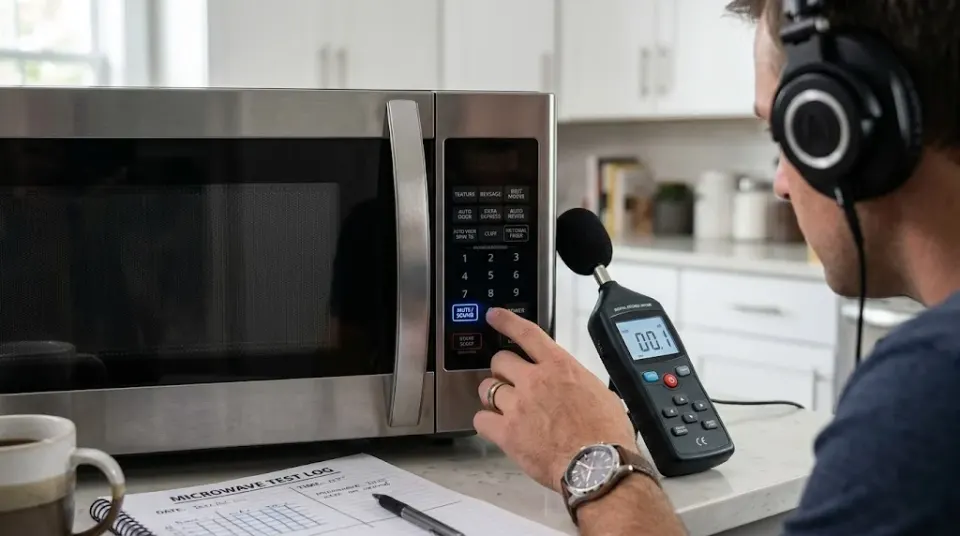
There are few kitchen noises more recognizable than a microwave finishing a job.
Beep. Beep. Beep.
You can be sitting in another room and still know exactly what just happened. Someone heated something, the timer reached zero, and the microwave wants everybody to know about it.
That is why the mute setting is such a useful little feature. But there is a catch: mute doesn't mean exactly the same thing on every microwave.
Some models can turn off button sounds and the end-of-cycle alert. Some let you control those sounds separately. Some can silence warnings and alarms too. Others don't offer a sound-off setting at all.
So what does microwave mute actually silence?
The answer depends on the model.
What the mute setting actually controls
The beeps coming from a microwave aren't all one sound triggered by one switch.
The control system can produce different tones for different events.
A button press might produce a short confirmation beep. Starting a cooking cycle can produce another tone. Finishing the cycle can produce several beeps. Some machines repeat the alert if food is left inside. Others use sounds for warnings, alarms or error conditions.
Manufacturers don't always group these sounds together.
GE, for example, documents microwave models with adjustable beeper volume, including settings that range from loud to completely off. Other GE models have a dedicated mute control. (GE Appliances)
Whirlpool also distinguishes between button tones and other sounds on some models. Its documentation describes a setting that can turn button tones off while leaving end-of-cycle and timer tones active. Other Whirlpool models offer a setting that disables all tones. (Whirlpool)
That's why two microwaves can both advertise a "mute" function and behave differently.
Does microwave mute silence the buttons?
Often, yes.
Button sounds are usually there to confirm that the control panel registered what you pressed. When you tap a number, choose a cooking mode or press Start, the microwave can acknowledge the input with a beep.
Some mute settings disable those sounds.
Toshiba, for example, lists Mute Mode on models such as the EM131A5C-BS, with a Sound ON/OFF control. (Toshiba)
GE also documents models where the sound level can be set to zero, which turns off the beeper. (GE Appliances)
But even here, the wording matters.
A microwave with a setting called "Button Tones Off" isn't necessarily a microwave with every sound turned off.
Whirlpool gives a clear example. On some models, disabling button tones still leaves end-of-cycle and timer tones active. (Whirlpool)
So if you mute your microwave and it still beeps when the food is finished, that doesn't necessarily mean the feature isn't working.
You may have muted one group of sounds rather than all of them.
What about the loud beep when cooking finishes?
This is where microwave mute gets more interesting.
The end-of-cycle sound is often treated differently from a button confirmation because it serves a different purpose.
The microwave needs to tell you that the programmed cooking time has ended. Some models use a series of beeps rather than one short tone.
GE's documentation specifically describes the cooking-complete beeper as something that can be adjusted or turned off on applicable models. (GE Appliances)
Other manufacturers give you different levels of control.
KitchenAid says some of its microwaves can disable all sounds, including button presses, warnings, alarms and end-of-cycle feedback. (KitchenAid)
Whirlpool documentation also describes models where all tones can be disabled. (Whirlpool Product Help)
That means a genuine all-sounds mute setting can silence the familiar finishing beep.
But not every microwave offers that level of control.
Panasonic's support documentation actually lists models where the beep can be switched off and others where it cannot be turned off at all. (Panasonic)
Can mute silence reminder beeps?
Sometimes.
Some microwaves don't stop after the first completion signal. If you leave your food inside, the machine may remind you again later.
Those reminder tones are another example of why the word "mute" isn't enough to describe what a microwave actually does.
A manufacturer may group the reminder sound with the normal end-of-cycle alert. Another model may handle it separately.
KitchenAid's documentation, for example, describes models with separate controls for end-of-cycle tones and reminder tones. (KitchenAid)
So a microwave can be quiet when the timer reaches zero but still make another sound later.
That's not necessarily a malfunction.
It's a difference in how the manufacturer programmed its sound settings.
What about warning and error sounds?
This is the part that needs to be tested model by model.
Some manufacturers describe an all-sounds mute function that includes warnings and alarms.
KitchenAid says certain models can deactivate sounds including warnings and alarms. (KitchenAid)
Whirlpool likewise describes certain mute functions as affecting button presses, warnings, alarms and end-of-cycle feedback. (Whirlpool Product Help)
But that doesn't mean every microwave treats every warning the same way.
A manufacturer may allow normal operating tones to be disabled while keeping a particular alert active.
That's one reason a proper cross-model test is more useful than a generic list of button combinations.
The interesting question isn't simply whether the display says "Mute."
It's what the microwave does afterward.
Does muting the microwave change how it cooks?
The mute setting is a sound-control feature.
It changes the audible feedback from the control system. It isn't a different cooking mode.
Manufacturers describe mute and sound controls separately from cooking power, cooking time and other operating functions. GE, Toshiba, Whirlpool and Panasonic all document sound settings as control-panel functions rather than changes to microwave cooking operation. (GE Appliances)
So muting the beeps isn't the same thing as reducing the microwave's cooking power.
The machine can still heat food while its electronic alerts are turned off.
What changes is what you hear.
Do all microwaves have a mute mode?
No.
This is one of the easiest claims to get wrong.
GE says some microwave models don't have a feature for disabling their sound. (GE Appliances)
Panasonic's support documentation also contains model-specific examples where the beep cannot be turned off. (Panasonic)
Independent testing shows the same variation. RTINGS lists mute functionality on some tested Toshiba, GE and LG microwaves, while its review of the LG LMV1764ST says that model doesn't have a mute function. (RTINGS)
So there isn't one universal microwave mute command.
A button combination that works on one machine can do absolutely nothing on another.
Why is the mute setting sometimes hidden?
Because manufacturers don't necessarily expect people to change it every day.
Microwave beeps have a practical purpose. They confirm that a button was registered and tell you when a programmed action has finished.
The problem is that the same sound that is useful in a busy kitchen can be irritating at 1 a.m.
That's why manufacturers have increasingly put sound controls into settings menus, secondary button combinations or dedicated mute controls.
The control can exist without taking up another large button on the front panel.
Some manufacturers make the feature obvious. Others hide it behind a long press or settings menu.
Toshiba, for example, uses a Sound ON/OFF control on applicable models. Panasonic uses model-specific setup procedures. Whirlpool and KitchenAid use different combinations of sound settings depending on the microwave. (Toshiba)
Is a muted microwave actually silent?
No.
This is where the word "mute" can be misleading.
Muting the electronic alerts doesn't make the physical microwave disappear acoustically.
The fan can still run.
The turntable can still rotate.
The microwave's electrical and mechanical components can still produce operating noise.
What the mute setting is designed to remove is the electronic feedback, such as beeps, tones and chimes.
So there's a difference between:
No beeps
and
No sound at all.
A microwave can achieve the first without ever achieving the second.
The biggest difference between microwaves is what they consider a "sound"
That's really the heart of the whole thing.
One manufacturer might treat button presses, completion alerts and warnings as one group.
Another might give you separate controls.
Another might let you lower the volume instead of turning it completely off.
And another might not let you disable the sounds at all.
GE's documentation shows all of these possibilities across different models, including adjustable volume, mute controls and models without a sound-off feature. (GE Appliances)
Whirlpool's documentation provides another good example: on some models, button tones can be disabled while other alerts remain active. (Whirlpool)
That's why the model number matters more than the brand name.
A brand can have one microwave with a complete mute function and another with no mute option.
So what does microwave mute actually silence?
It depends on the microwave.
In general, the setting may silence some or all of these:
- Button-press beeps
- Start or programming tones
- End-of-cycle alerts
- Timer tones
- Reminder beeps
- Warning sounds
- Alarm sounds
But there is no universal rule saying that every microwave's mute setting controls all of them.
Some models silence everything.
Some silence only button sounds.
Some allow separate sound controls.
Some let you reduce the volume rather than eliminate it.
And some don't have a mute function at all. (GE Appliances)
That's why the most useful way to judge a microwave's mute feature isn't by the label on the button.
It's by what happens when you actually use it.
A microwave that says "Mute" may become completely quiet except for its normal operating noises. Another may simply stop making the little beep every time you press a button while continuing to announce that your food is finished.
The word is the same.
The behavior isn't.
And that's the part worth testing.