
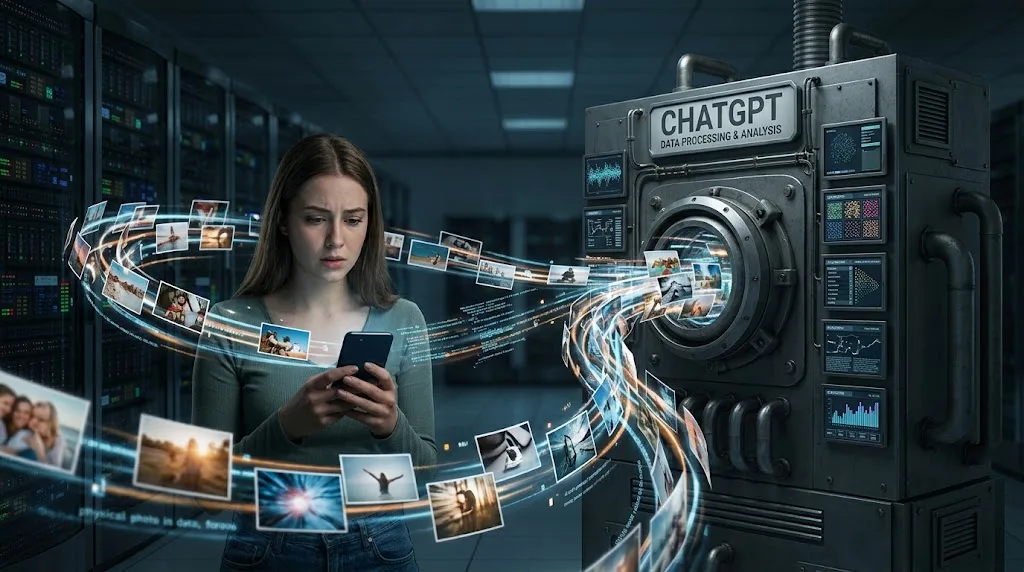
Someone takes an old photograph from their phone, uploads it to ChatGPT, and asks for a 1980s-style version. A few seconds later, the AI is looking at the picture, describing it, editing it or using it as the reference for something new.
The photograph seems to have simply gone from your camera roll into the chat.
But it hasn't just moved from one screen to another.
The image has been sent to the service, processed as part of your request, and may remain associated with your conversation or account depending on how you use ChatGPT and which storage features are involved. Whether it can also be used to improve OpenAI's models is a separate question controlled by your data settings. (OpenAI Help Center)
That distinction matters because "stored," "processed," and "used for training" aren't the same thing.
What happens when you press Upload?
The first step is fairly straightforward.
The image has to leave your device.
If you're using ChatGPT on your phone or computer, the service needs to receive the image before the model can analyze it. ChatGPT's image-input system is designed to accept an image and use the visual information in it as part of the conversation. OpenAI says image inputs are available on the web and mobile versions of ChatGPT. (OpenAI Help Center)
So when you select a photograph and press send, the important change isn't that the original photograph on your phone has somehow been handed over permanently.
A copy or representation of that uploaded file has been sent to OpenAI's systems so the service can process your request.
Your original photograph on your phone is still on your phone.
Deleting the copy from ChatGPT does not delete the photograph from your camera roll, Google Photos, iCloud or whatever other storage you use on your device.
The two copies are separate.
The AI doesn't need to "keep the photo in its brain"
This is one of the easier things to misunderstand.
When ChatGPT looks at an uploaded photograph, it doesn't need to remember the entire original file forever in order to answer the question you asked.
The image is supplied as input to the system.
The model can use information from that image to describe what is visible, answer questions about it or perform an image-related task.
For example, if you upload a photograph of an old family gathering and ask, "Can you turn this into a 1980s studio portrait?", the image provides the visual reference for the request.
The important part is that image processing and long-term storage are separate issues.
The fact that ChatGPT can see an image doesn't by itself tell you how long the uploaded file will remain associated with your account.
That depends on the type of chat, the file's storage location and the relevant retention rules.
So is the original photo stored?
It can be.
For ordinary ChatGPT conversations, chats remain saved to your account until you delete them or an applicable retention policy removes them. OpenAI's current retention documentation says that deleting a saved chat removes it from your account view immediately and schedules it for permanent deletion from OpenAI's systems within 30 days, subject to exceptions such as legal or security requirements. (OpenAI Help Center)
Files can also have their own storage behavior.
OpenAI now has a Library where files uploaded to or created in ChatGPT can be saved separately from the conversation that used them. If a file has been saved separately in Library, deleting the conversation does not necessarily delete that Library copy. The file has to be removed separately. (OpenAI Help Center)
So there isn't one universal answer that says:
"ChatGPT keeps every photo for exactly X days."
The retention period depends on how the photo was uploaded and where it is being retained.
That's why the difference between a normal chat, Temporary Chat, a project and a separately saved Library file matters.
Does ChatGPT use your photos to train AI?
This is a different question.
OpenAI says that for individual services such as ChatGPT, content may be used to improve its models. That content can include images and files, depending on the user's settings. (OpenAI)
You can turn off the Improve the model for everyone setting in ChatGPT's Data Controls.
When that setting is turned off, new conversations aren't used to improve OpenAI's models. OpenAI also says that turning off model improvement does not delete your existing chats. (OpenAI Help Center)
That's an important distinction.
Turning off training doesn't mean:
"Delete my photos."
It means:
"Don't use my new conversations to improve the models."
Storage and model improvement are separate controls.
You can therefore have a conversation that remains in your account while its content isn't being used for model improvement.
What happens if you use Temporary Chat?
Temporary Chat changes several parts of the process.
OpenAI says Temporary Chats don't appear in your normal chat history, don't create or update memories, and aren't used to improve OpenAI models while they remain temporary. OpenAI may nevertheless keep a copy for up to 30 days for safety purposes. (OpenAI Help Center)
So Temporary Chat isn't the same as:
"The photograph never reaches OpenAI."
It still has to be processed by the service for ChatGPT to work with it.
The difference is what happens afterward.
A temporary conversation isn't treated like an ordinary saved conversation in your history, and its content isn't used to improve the models while it remains temporary.
That makes Temporary Chat a useful distinction for people who want a conversation handled differently from their normal ChatGPT history.
What happens when you delete the conversation?
Suppose you upload a photograph to a normal chat, finish what you're doing and then delete that conversation.
The chat disappears from your account view immediately.
OpenAI says the deleted chat is then scheduled for permanent deletion from its systems within 30 days, although there are exceptions where information may need to be retained longer for security or legal reasons. (OpenAI Help Center)
That doesn't mean the deletion is instantaneous everywhere.
There's a difference between:
removed from your account interface
and
permanently deleted from OpenAI's systems.
The first happens immediately.
The second is scheduled according to OpenAI's retention process.
And if the image was separately saved in Library, deleting the chat isn't enough. OpenAI says a Library file remains until you delete it separately. (OpenAI Help Center)
Can people at OpenAI see your uploaded photo?
It's not accurate to think of ChatGPT as a system where employees routinely sit around looking through users' photographs.
OpenAI uses automated systems to monitor content for material that may violate its policies, and it also uses human review in some circumstances. OpenAI says flagged content can be reviewed by trained personnel to determine appropriate action. (OpenAI)
That means the better answer isn't simply "nobody can ever see it."
OpenAI's own documentation describes circumstances in which content can enter safety or moderation processes that involve human review.
That is different from saying that an employee casually has access to your photo collection.
The practical distinction is that uploaded content is processed by a service with automated systems, and certain content may be reviewed by people under defined circumstances.
What about the photo's hidden metadata?
A photograph can contain more information than the pixels you see.
Depending on the file and device, image metadata can include things such as the camera model, capture time, orientation and, in some cases, location information.
That doesn't mean every photograph uploaded to ChatGPT exposes all of that information to the model or to another person.
OpenAI's public documentation does not provide a simple general rule saying that all original EXIF metadata from every uploaded photograph is retained, nor does it publish a complete list of which metadata fields are preserved for every upload path.
So this is one area where it would be wrong to confidently say either:
"ChatGPT keeps all your EXIF data"
or
"ChatGPT strips all your EXIF data."
The exact file-processing path matters.
If you're concerned about sensitive information embedded in a photograph, the safest assumption is that the file itself may contain information you didn't intend to share and to treat the upload accordingly.
That is particularly relevant to photographs taken with phones, because modern phones can attach information to images that isn't obvious when you're looking at the picture.
Does ChatGPT recognize the people in your photo?
ChatGPT can analyze visual information in an uploaded image.
That doesn't mean it automatically knows the real-world identity of every person pictured.
There is a difference between:
"There is a man standing beside a car."
and:
"That is John Smith."
The first is visual analysis.
The second requires identifying a real person.
So uploading a family photograph doesn't automatically turn it into a searchable database of everyone in the picture.
An uploaded photograph is still a photograph — it carries visual information, not some mysterious representation of the people in it. (If you've ever wondered why you look different in photos than in the mirror, that's the same principle from the other side: why your reflection looks different from your face in photos.)
The system can analyze what is visible, but visual recognition and verified identity are different things.
What happens to the AI-generated image?
This is another place where two things can get mixed together.
Suppose you upload an old photograph and ask ChatGPT to create a new 1980s-style portrait.
There are now two images involved:
The original image you supplied.
The new image generated by ChatGPT.
They aren't the same file.
OpenAI's image system can create new images and edit existing ones, and generated images can be saved under ChatGPT's Images area. OpenAI says generated images are automatically saved there, and deleting the conversation where the image was created removes the generated image from My Images. (OpenAI Help Center)
The original photograph and the generated result therefore have different roles.
One was your input.
The other was produced by the system.
That distinction becomes especially useful when people are trying to understand what exactly they are deleting.
Can another ChatGPT user see your photo?
Uploading a photograph to your conversation does not mean it becomes a public image available to other ChatGPT users.
The important privacy distinction is between your conversation and content you deliberately share through a public or shared mechanism.
A normal private conversation isn't the same thing as publishing the image to the internet.
That said, privacy isn't the same as absolute isolation from every OpenAI system.
The service still has to process your content, retain it according to applicable rules and apply its safety and moderation systems.
That's why "not public" and "never processed by anyone or anything outside your device" are two very different claims.
Does uploading through the mobile app change what happens?
For ordinary image input, the basic idea is the same.
You choose an image, ChatGPT receives it, and the service processes it as part of your conversation.
OpenAI supports image inputs on both web and mobile. (OpenAI Help Center)
The more important differences come from your account settings and the type of conversation you're using, rather than from whether you tapped the upload button on an iPhone, Android phone or computer.
In other words, the phone isn't creating a completely separate privacy system.
The same account-level rules around model improvement, chat retention and deletion still matter.
What if you upload the same photograph several times?
Each upload is another time the service receives that image as input.
If you upload the same family photograph into five separate conversations, you shouldn't think of that as one magical permanent copy being reused everywhere.
Each conversation has its own context and retention behavior.
If those conversations are saved, they remain subject to the relevant retention rules. If they're temporary, they follow Temporary Chat rules.
The more useful way to think about repeated uploads is that you're creating multiple instances of the same personal information in your interactions with the service.
That matters when you're deciding what kinds of photographs you want to keep uploading.
What should you avoid uploading?
You don't need to treat every ordinary photograph as a security emergency.
But a private photograph can contain more personal information than you realize.
A picture of your house might show your address.
A photograph of a document might contain an account number.
A family photograph might include children.
A screenshot might contain someone's name, phone number or private conversation.
A photograph taken outside your home might reveal where you live.
The fact that an AI can analyze an image makes those details useful to the model, but it doesn't make them less sensitive.
The sensible question isn't only:
"Can ChatGPT understand this picture?"
It's:
"Am I comfortable sending everything visible in this picture to an online AI service?"
That's a much better privacy question.
So what actually happens to a photo after you upload it?
The simplest way to picture the process is this:
1. You select the photograph.
The file is sent from your device to ChatGPT.
2. ChatGPT processes the image.
The visual information becomes part of the request the system uses to answer you.
3. The conversation may be retained.
Normal chats remain in your account until you delete them, subject to applicable retention policies. (OpenAI Help Center)
4. Model improvement is a separate issue.
Depending on your settings, content from individual ChatGPT services may be used to improve OpenAI's models. You can turn that setting off for new conversations. (OpenAI Help Center)
5. Temporary Chat changes the rules.
Temporary chats aren't used to improve models while they remain temporary and don't appear in normal chat history, although OpenAI may retain a copy for up to 30 days for safety purposes. (OpenAI Help Center)
6. Deletion starts another process.
Deleting a saved chat removes it from your account view immediately and schedules permanent deletion within 30 days, subject to exceptions. (OpenAI Help Center)
7. Separately saved files can follow separate rules.
If a file is saved in Library, deleting the conversation doesn't necessarily delete that Library copy. (OpenAI Help Center)
That's the part that gets lost in a lot of privacy discussions.
Your photo isn't simply "stored" or "not stored."
There are several different things happening: processing, conversation retention, file storage, model-improvement controls and deletion.
They are related, but they aren't the same thing.
The 1980s photo trend makes the distinction more important
The recent wave of people turning ordinary photographs into 1980s-style AI portraits is a good example of how quickly an AI habit can become normal.
The upload takes seconds.
The result looks like a piece of harmless entertainment.
But the original photograph is still personal data.
It may show your face, your family, your home, other people, documents or details about where and when the photograph was taken.
That doesn't mean you shouldn't use AI image tools.
It means the upload button isn't the end of the story.
When you send a photograph to ChatGPT, the service has to receive and process it. What happens after that depends on the conversation type, your data settings and whether the file is retained separately. OpenAI documents those controls, but they're easier to understand when you separate the questions of processing, storage, training and deletion instead of treating them as one big privacy setting.
And that is really what happens after you press upload.
The photograph doesn't disappear into some mysterious AI memory.
It enters a system with specific rules for processing, retaining, using and deleting the information you sent.