
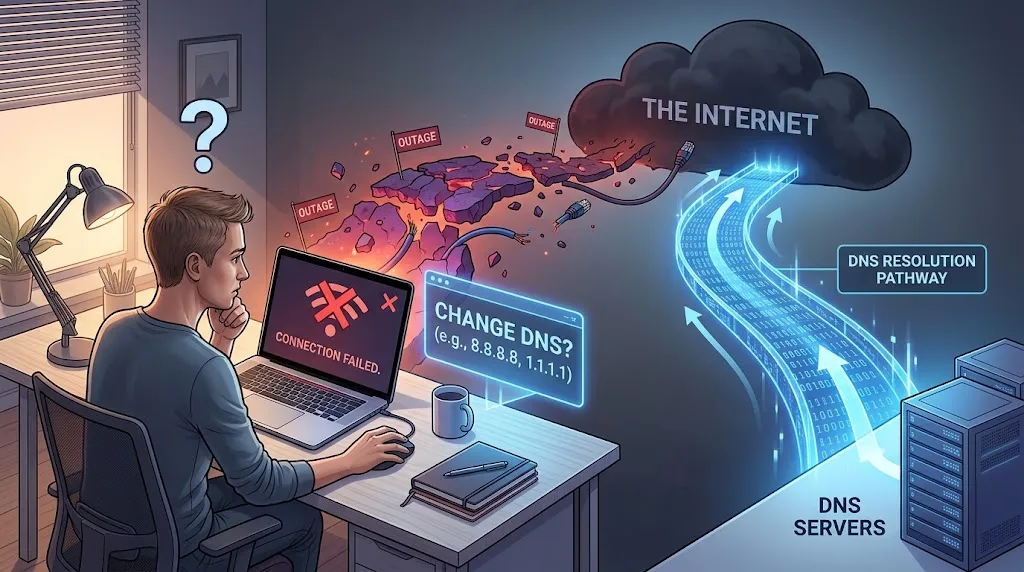
When your internet stops working, the advice can get strange pretty quickly.
Restart the router. Restart the modem. Turn Wi-Fi off and back on. Try another browser. Change the DNS. Try Google DNS. Try Cloudflare. Then, if nothing works, stare at the router lights as if they might explain themselves.
Changing DNS gets recommended often enough that it can sound like a general cure for an internet outage. It isn't.
DNS can cause a connection to appear broken when the underlying internet connection is still working. Changing to another DNS service can fix that particular problem. But if the Frontier connection itself is down, changing DNS won't bring the connection back.
The difference comes down to what DNS actually does.
DNS is only one part of getting a website to load
DNS stands for Domain Name System. Its job is to translate a website name, such as example.com, into an IP address that your device can use to find the server.
That is why DNS is often compared with a phone book. You know the name of the person you want to call, but your phone needs the number. DNS performs a similar lookup for websites. (Cloudflare Developer Docs)
When you type a website into your browser, your device may first need to ask a DNS resolver for the address associated with that domain.
If the resolver answers, your device can proceed to the next part of the connection.
If the DNS lookup fails, the browser may not know where to connect.
That can look a lot like an internet outage.
The important word is look.
Your physical internet connection may still be working.
What changing DNS actually changes
Most home devices normally use a DNS resolver provided by the internet service provider or by the network configuration supplied through the router. You can instead configure the device or router to use another resolver.
Google operates Public DNS at addresses including 8.8.8.8 and 8.8.4.4. Cloudflare operates its public resolver at 1.1.1.1 and 1.0.0.1. (Google for Developers)
Changing DNS doesn't change your fiber connection.
It doesn't repair a damaged cable.
It doesn't restart an Optical Network Terminal.
It doesn't restore a failed router.
And it doesn't repair an outage somewhere inside an ISP's network.
It changes who answers your DNS questions.
That distinction is the whole reason changing DNS sometimes works and sometimes does absolutely nothing.
When changing DNS can actually fix the problem
Imagine your device is connected to your router.
The Wi-Fi works.
The router can still communicate with the wider internet.
But the DNS resolver you're using isn't responding correctly.
You type a website into the browser. Your device asks DNS where that website lives. The request fails, so the browser can't get the address it needs.
From your point of view, the internet is down.
But it isn't necessarily the internet connection that's broken.
The DNS service is the problem.
If you switch to a functioning resolver such as Google Public DNS or Cloudflare's resolver, the lookup can succeed. The browser can then obtain the IP address and attempt the actual connection.
That is a legitimate situation in which changing DNS can appear to "bring the internet back."
Google's own documentation describes Public DNS as a replacement for the DNS servers supplied by an ISP. Cloudflare similarly describes 1.1.1.1 as a DNS resolver that translates domain names into IP addresses. (Google for Developers)
The internet connection itself hasn't been repaired.
The name-resolution problem has been bypassed.
When changing DNS cannot fix an outage
Now consider a different situation.
Your Frontier fiber connection has actually gone down.
The connection between your home and Frontier's network is unavailable, or there is a problem farther upstream in the provider's network.
Your DNS setting is almost irrelevant at that point.
You can tell your computer to use 1.1.1.1.
You can tell it to use 8.8.8.8.
You can use another public resolver entirely.
Your device still needs a working network path to reach that DNS server.
If the underlying connection is gone, changing the DNS address doesn't create a new connection.
It's a little like changing the directory service at a building when the telephone line itself has been cut. The directory may be perfectly functional. You still can't make the call.
Frontier's own troubleshooting material reflects this distinction. Its support guidance tells customers to check for a service outage and, for fiber customers, to check or restart the ONT when restarting the router doesn't resolve the problem. (Frontier.com)
Why Wi-Fi makes this confusing
One of the most confusing things about an internet outage is that your phone or laptop can still say Connected.
That's because Wi-Fi and internet access are not the same thing.
Your device can have a perfectly good wireless connection to your router while the router has no working connection to the ISP.
Think about the path as several separate pieces:
Your phone or computer → Wi-Fi → router → Frontier network → internet → website
A failure at one point doesn't necessarily disconnect every other point — devices fail in stages, which is the same reason a TV can lose its picture while the sound keeps playing. (why your TV can have sound but no picture)
Your phone can still communicate with the router.
The router can still broadcast Wi-Fi.
Your device can still show the Wi-Fi symbol.
And yet there may be no usable route beyond the router.
That is why "my Wi-Fi is connected" doesn't necessarily mean your internet service is working.
Frontier's support tools specifically distinguish between wireless problems, wired connection problems and broader internet connection problems. (Frontier.com)
DNS failure and ISP failure can look almost identical
This is where the troubleshooting gets interesting.
Suppose DNS is broken.
You might see:
- websites refusing to load
- browser errors about finding a server
- apps behaving strangely
- some previously opened services continuing to work temporarily
- changing DNS suddenly restoring normal browsing
Now suppose the ISP connection itself is down.
You might see:
- websites refusing to load
- apps failing
- speed tests failing
- multiple devices losing access
- changing DNS having no meaningful effect
The symptoms overlap.
The underlying failure doesn't.
That's why simply trying random fixes isn't always useful. The better question is which layer has failed.
What happens if you use an IP address instead of a website name?
This is one of the more useful ways to understand the difference.
DNS gives a domain name an IP address.
So, in principle, if DNS is the only thing broken, connecting directly to an IP address may still reach a service that is otherwise accessible.
That doesn't mean typing a random IP address into a browser is a universal outage test. Modern websites often use multiple services, HTTPS certificates, hostnames and content delivery systems, so the result can be misleading.
But the basic idea is important.
If the network path works while name resolution doesn't, changing DNS can solve the name-resolution part.
If the network path itself doesn't work, there is nothing for DNS to repair.
Does changing DNS make Frontier internet faster?
Sometimes people change DNS because they believe a public resolver will make the entire internet connection faster.
That's not quite what happens.
DNS can affect how quickly a domain name is resolved. A resolver can also have different performance characteristics, availability and features.
But DNS isn't responsible for the download capacity of your Frontier connection.
Changing DNS doesn't turn a 100 Mbps connection into a 500 Mbps connection.
It doesn't repair congestion on the ISP's network.
It doesn't increase the physical capacity of your fiber connection.
Google describes Public DNS as a name-resolution service, while Cloudflare describes 1.1.1.1 in the same basic terms. (Google for Developers)
If a speed test shows that your connection itself is slow, changing DNS may not address the reason.
What about restarting the router?
Restarting the router is a different kind of troubleshooting step.
It can clear temporary problems with the router, renew parts of the connection process and restore services that have become stuck.
Frontier recommends restarting the router as an early troubleshooting step and says fiber customers can also check or restart the ONT if restarting the router doesn't solve the problem. (Frontier.com)
That doesn't mean restarting always fixes an outage.
If Frontier's network is down several miles away, restarting your router won't repair it.
It can only fix problems on the parts of the connection that the restart actually affects.
So how can you tell whether DNS is the problem?
The useful approach is to test the layers rather than randomly changing settings.
First, see whether the problem affects one device or every device on the network.
If only one computer can't get online while other devices work normally, the problem may be local to that device.
If every device has lost access, the router, connection or ISP becomes more relevant.
For a wired device, an Ethernet test can also help separate a Wi-Fi problem from a broader connection problem.
Then there is DNS.
If the connection itself appears to be working but domains aren't resolving, testing DNS against more than one resolver can help identify a name-resolution problem. Cloudflare's troubleshooting documentation specifically recommends comparing DNS resolution against different resolvers when investigating name-resolution issues. (Cloudflare Developer Docs)
The key is that changing DNS should be treated as a diagnostic test for a DNS problem, not as a general internet-outage cure.
The simple way to think about it
There are three very different situations.
DNS is broken, but the connection works.
Changing DNS can help.
Your Wi-Fi or router is broken.
Changing DNS won't fix the Wi-Fi hardware or router.
The Frontier connection or wider ISP network is down.
Changing DNS won't restore the connection.
That's why the same trick can look like a miracle one day and do absolutely nothing the next.
The problem wasn't necessarily the same.
What we would test during a real Frontier outage
A proper test should not simply change the DNS setting and see whether a webpage loads.
That can produce a misleading result because an outage may end while you're testing, a router may reconnect at the same time, or a temporary DNS problem may resolve by itself.
The cleaner test is to compare several conditions during the same failure.
Start with the Frontier-provided DNS configuration.
Record whether:
- the router has a connection
- the device has an IP address
- DNS lookups succeed
- ordinary websites load
- multiple devices behave the same way
Then switch to Google Public DNS.
Repeat the same checks.
Then switch to Cloudflare DNS and repeat them again.
The important result isn't simply whether the page loads.
It is whether changing the DNS resolver changes the behavior while the underlying connection remains unchanged.
That is what separates a DNS problem from a genuine ISP outage.
So, can changing DNS fix a Frontier internet outage?
Sometimes, but only when DNS is the thing that is actually failing.
If Frontier's DNS resolver is unavailable or having a resolution problem while your underlying connection is still functioning, switching to another resolver can restore access to websites.
If the Frontier connection itself is down, changing DNS won't fix it.
It cannot repair the fiber connection to your home. It cannot restore a failed ONT. It cannot repair a router. And it cannot bring back a section of Frontier's network that is offline.
DNS is a directory service.
It helps your device find where a website is.
It is not the internet connection itself.
That small distinction explains why changing DNS sometimes appears to magically fix an outage. In those cases, the internet wasn't completely down. One of the services your device needed to use it was.